
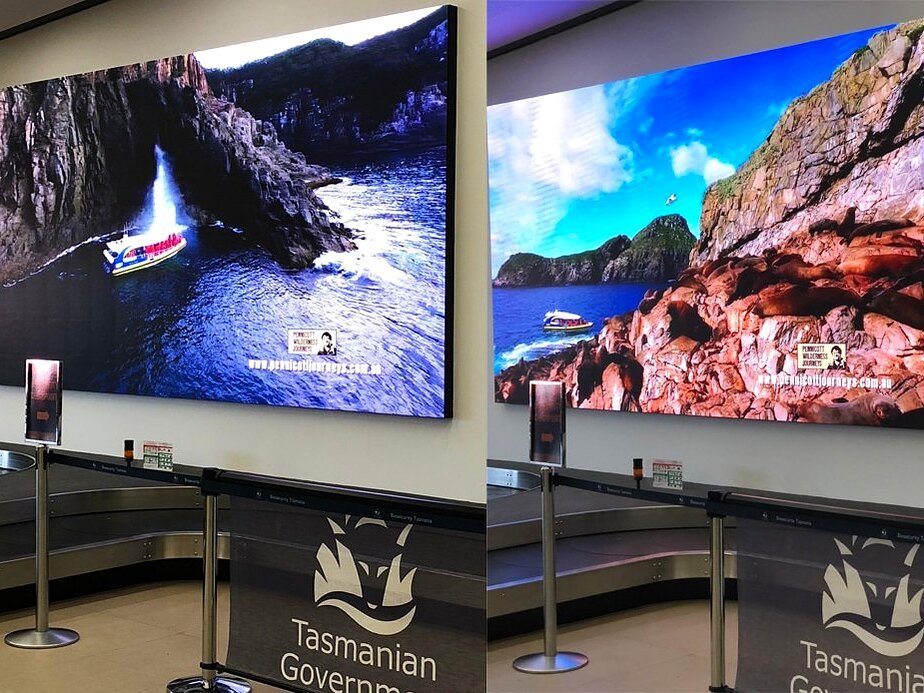
Digital signage is any screen or LED sign that shows messages you change electronically, instead of printing a new sign. The menu board in a cafe that switches from breakfast to lunch by itself is digital signage. So is the LED sign outside a school that shows this week’s events, and the video wall in an office foyer.
Every digital sign has the same basic parts: the display people see, a small controller inside that stores and plays the content, and the software you use to make that content and decide when it shows. Here is how each part works, and what to think about before you choose one.
What digital signage means day to day
You make a message on a computer or a phone, send it to the sign, and change it whenever you need to. Nobody reprints a poster or climbs a ladder with plastic letters. One message can stay up all day, or the sign can play a loop of screens, each for a set number of seconds.
Because changes are quick, the sign keeps up with what is happening. A shop can put new stock in the window the morning it arrives. A school can thank everyone who helped at the fete.
Types of digital signage display
The main types of display are:
- Outdoor LED signs, such as pylon signs beside the road, signs on a building and entry statements. They are bright enough to read in direct sun.
- Indoor LED displays for shop windows, counters, reception areas, church halls and clubrooms.
- LED poster screens. Outdoor poster screens suit busy places like shopping centres, stations and airports. Our indoor poster screens are slim, and several can join into one big screen.
- Full colour LED screens and video walls, for photos and video at a large size.
- Digital menu boards for cafes, restaurants and takeaways.
- Digital billboards beside main roads.
Many indoor digital signs are LCD screens, much like a TV. A TV is a single LCD panel made for indoors. An LED screen is built from cabinets of small LED lights, so it can be made to almost any size and, outdoors, it can be bright enough for direct sun.
See our indoor LED displays and our full colour LED screens and video walls.
What is digital signage software?
Digital signage software is the program you use to put content on the sign. With it you can:
- build each screen from text, photos, logos and video
- put the screens in order and set how long each one stays up
- schedule content by time of day, so the breakfast menu comes off at 11 am without anyone touching it
- send the changes to the sign, or to several signs at once
Some programs run on a computer, some on a phone and some online in a web browser. Which one you use depends on the controller inside the sign. For our signs:
- NovaStar signs run from a computer with ViPlex Express, from a phone with ViPlex Handy, or online with VNNOX.
- HD signs run from a phone with LedArt, from a computer with HDPlayer, or online with LED-Cloud.
The phone apps work over Wi-Fi at the sign, so you need to be nearby. VNNOX and LED-Cloud work from anywhere with an internet connection.
Every app is on our Downloads page, along with NovaLCT for setting up NovaStar screens. Step-by-step guides for ViPlex Express, VNNOX, LedArt and LED-Cloud are on Brochures and Guides. When we install a sign, we set up the software and show you how it works.
Where digital signage is used
- Shops: new products and opening hours in the window.
- Cafes and restaurants: menus that change through the day. Our guide to digital menu boards for cafes and restaurants has more ideas.
- Schools: events, notices and achievements.
- Churches: service times outside, and lyrics and notices inside.
- Councils: community notices, events and road closures.
- Offices and work sites: safety messages and staff news.
- Sports grounds: sponsors, club news and video.
How to choose a digital sign
Four questions sort out most of the decision.
- Inside or outside? Outdoor signs must be sealed against the weather and much brighter.
- How far away will people be? That sets the pixel pitch, the gap between the lights. The closer people are, the smaller the pitch needs to be.
- What will it show? Words and numbers suit a single colour sign. Logos, photos and video need full colour.
- Who will update it? Pick software that suits the person doing the job.
The pixel pitch planner lets you try a shop ad or a photo on different sizes and pitches before you decide. You can buy a sign outright, spread the cost with Ledge Finance, or hire one for an event.
Ask us
We design and build our signs at our Welshpool workshop in Perth and install them across Australia. See our digital signage page, or the whole range on our Products page, then tell us where the sign will go and what it needs to show. We will suggest a size and a type.
Get a free quote, or call Aaron on 0416 053 335 or the office on (08) 9335 7944.
