
Published . Updated .
Schools use digital signs to share events, term dates and pick-up reminders with families at the gate, keep timetables up to date in the foyer, show visitors the way, get safety notices out fast and celebrate students. Inside, teachers use screens for lessons, quizzes and students’ work.
A school has a lot to tell a lot of people: students, staff, parents and visitors, every day of the term. Newsletters get lost in school bags and posters fade on the noticeboard. A digital sign puts the message where people will see it, and staff can change it in seconds from a laptop or phone.
Here are the everyday jobs a digital sign does in a school, indoors and out.
Out the front: messages for families
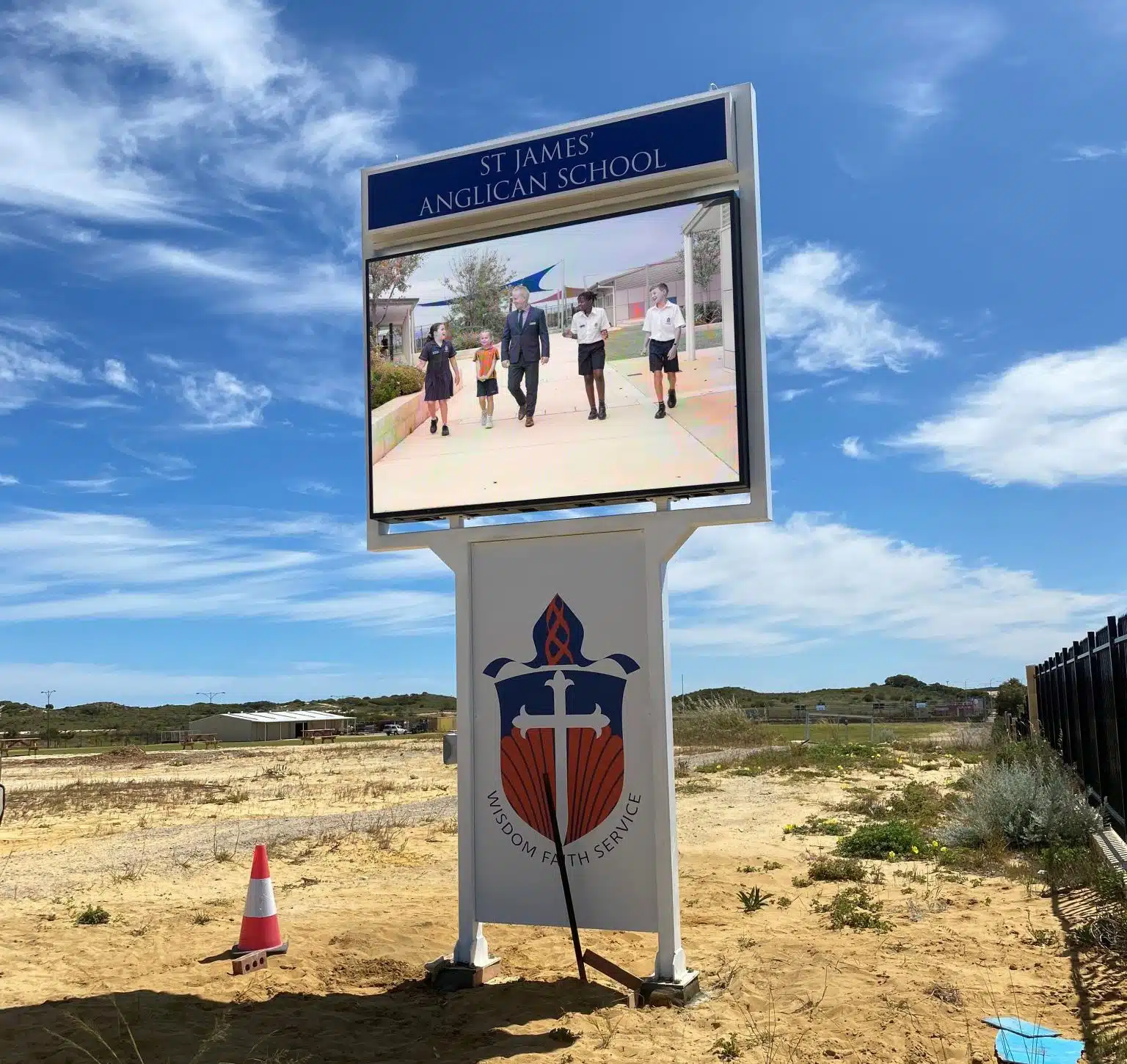
An outdoor LED sign at the gate or by the car park reaches families as they drop off and pick up. Schools use them for:
- events and term dates
- enrolments and open days
- pick-up safety reminders
- assemblies and sport results
- a welcome for visitors and new families
Our school projects include Ballajura Community College, which updates its full colour LED sign from a phone or laptop, and St James Anglican School.
Timetables and term dates
The school year brings a steady stream of changes: daily timetables, parent-teacher nights, office hours, the end of term, holidays and exam dates. Screens in the foyer, the library or the staff room keep everyone up to date, and the information only has to be changed in one place.
Directions around the school
Even a small school can be confusing at the start of the year, and an open day or sports carnival brings in plenty of visitors who don’t know the way. A screen near the entrance can show a map and directions, then switch to the day’s program when it is needed. It eases the nerves of new students and saves printing maps.
Safety notices
When something urgent happens, the message has to get out fast. A digital sign can show fire directions, weather warnings or evacuation instructions within seconds, and change as the situation changes. It works alongside the PA, for anyone who can’t hear an announcement or missed it. Read more in digital signs for workplace safety.
How do teachers use screens in class?
Indoors, screens help teachers as well as the front office. Teachers use them to:
- show slides, videos and links that go with a lesson
- display students’ work, including photos of art and projects
- run quick quizzes the whole class can see
- back up announcements in the hall, so students who weren’t listening still get the message
In the evening, when a hall is used for adult classes or community groups, the same screen can be set to show different information. It can also show key messages in more than one language for families who speak languages other than English at home.
Countdowns to sign-up dates
Many school activities have a deadline: camps, auditions, excursions and sports trials. A countdown on screen reminds students before the date passes, and saves organisers from chasing late forms.
Celebrating students
From scholarship winners to sports day champions, a digital sign is an easy way to share good news with the whole school community. We cover this in more detail in celebrating student achievements on digital signs.
How do staff update a school sign?
Staff change the content from a laptop or phone, on the spot or on a schedule, so a sign can show the week’s events on Monday and the athletics carnival on Friday without anyone touching it. One person can look after several signs, and the school prints far less.
Which sign suits a school?
A good first sign is an outdoor LED sign at the front gate, where most families pass twice a day. It has to be bright enough to read in the sun and built for wind, rain and, in higher areas, frost. Indoor screens usually come next, in the foyer, the hall, the library or the staff room. Thin wall screens mount straight onto a wall, so they suit halls and foyers where space is tight.
Single colour signs are fine for notices and dates. Full colour signs show photos of events, artwork and sport, which is where much of a school’s good news lives. Our guide to single colour or full colour LED signs sets out the difference.
Getting started
Start with one sign and add more as you need them. Decide who will update it, often the front office, plan a term’s worth of messages at the start of each term, and schedule them so the sign keeps itself current. For an open day, fete or enrolment week, a hire sign by the road can do extra work for a few days. We deliver hire signs anywhere in Australia, often on the same day in Perth.
Scoreboards for school sport
For carnivals and interschool sport, a portable LED scoreboard keeps everyone across the scores. We hire out portable scoreboards, and Aquinas College uses our mobile scoreboards. See our electronic and LED scoreboards.
See LED signs for schools, our outdoor LED signs and our indoor LED displays. For an open day or fete, you can also hire a sign. Talk to us about your school, or call Aaron on 0416 053 335 or the office on (08) 9335 7944.
